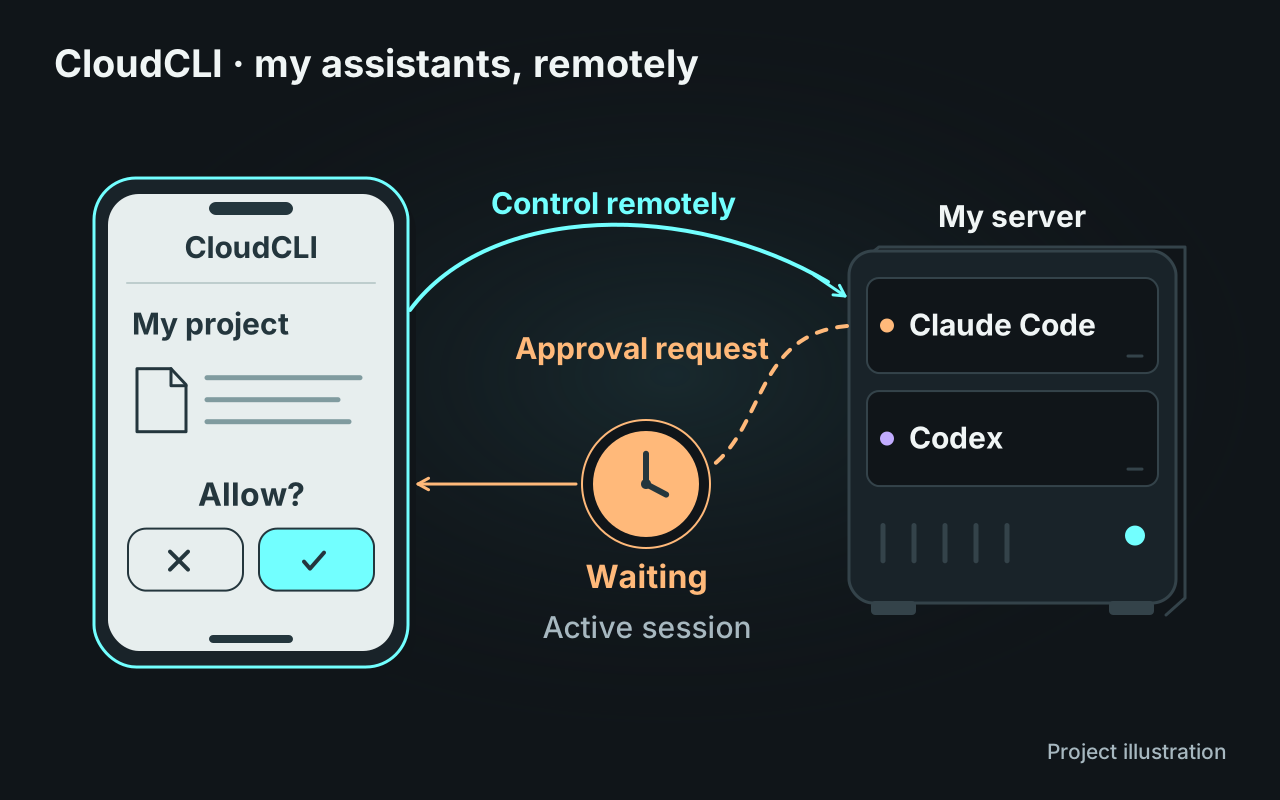
Following server work from my phone
My coding assistants run on my server, alongside their projects, files and conversation histories. I wanted to keep following their work after leaving my computer: read a response, give another instruction or inspect an operation before approving it. I use CloudCLI, a web interface based on siteboon/claudecodeui, for that purpose.
The upstream application already provides conversations, file browsing, Git and a browser terminal. My fork focuses on continuity of remote control. I use it with Claude Code and Codex; the detailed approval changes described here apply to Claude sessions.
Finding an approval when I return
A request that expires quickly does not fit a phone I check intermittently. I rebuilt the fork’s approval flow to keep the request on the server and send it again after reconnection, while the underlying session remains active.
The browser can then offer accept, reject or always accept. WebSocket carries the request and response, but the browser connection alone does not define the lifetime of the server’s work. This distinction lets me close the page and later return to an operation that is still waiting for a decision. It also keeps the pending request associated with the session that raised it.
Matching the controls to actual execution
I restored the Plan, Auto and Bypass controls, then connected the interface to the mode reported by the SDK. The badge needs to describe what the assistant is applying, including changes made during a session.
For “Always accept”, I reused native project permissions. The decision goes through Claude Code’s rule mechanism instead of becoming an authorisation system maintained only by the web interface. A browser preference for the mode and a saved project rule therefore have distinct responsibilities. These changes cross the Node.js server, SDK integration and React controls, with TypeScript contracts for the exchanged events.
Keeping session tracking useful
I also revised favourites so explicitly pinned sessions stay available even when they are old, while recent activity follows a separate filter. After an abnormal shutdown, stale “running” entries are corrected at startup so the interface does not suggest that an interrupted task is still working.
The changes are published on my fork’s dev branch, together with an inventory of contributions. They adapt an existing application to intermittent attention on mobile. The overall interface architecture, provider support and plugin system remain capabilities of the upstream project.